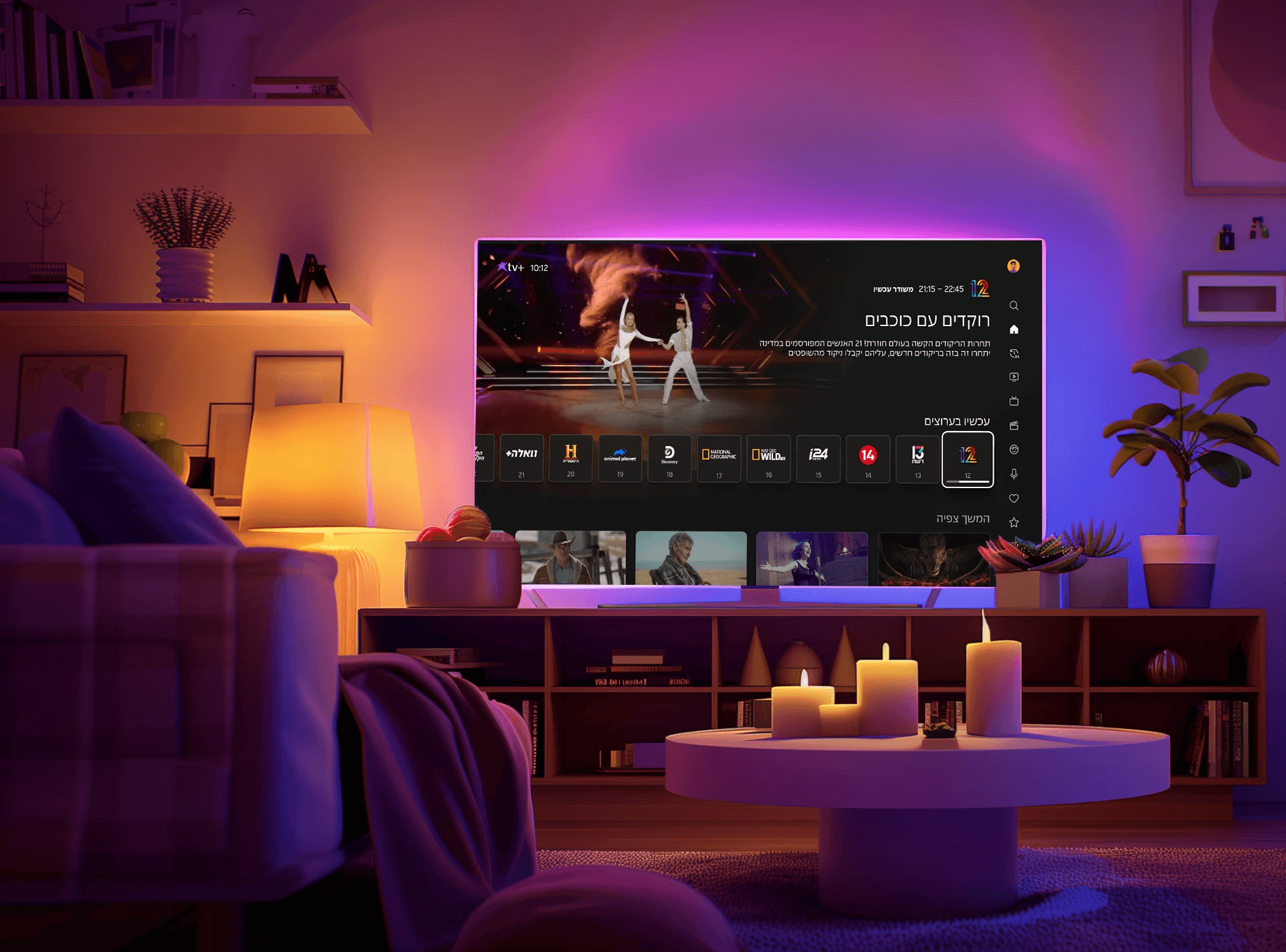
Redesigning the way you watch
A complete redesign of Cellcom tv+’s interface- modernizing the visual language, simplifying navigation, and creating a cleaner, and more intuitive watching experience.
January 2024- January 2026 | Create Future & Cellcom tv+
Redesigning
the way you watch
A complete redesign of Cellcom tv+’s interface- modernizing the visual language, simplifying navigation, and creating a cleaner, and more intuitive watching experience.
January 2024- January 2026 | Create Future & Cellcom tv+
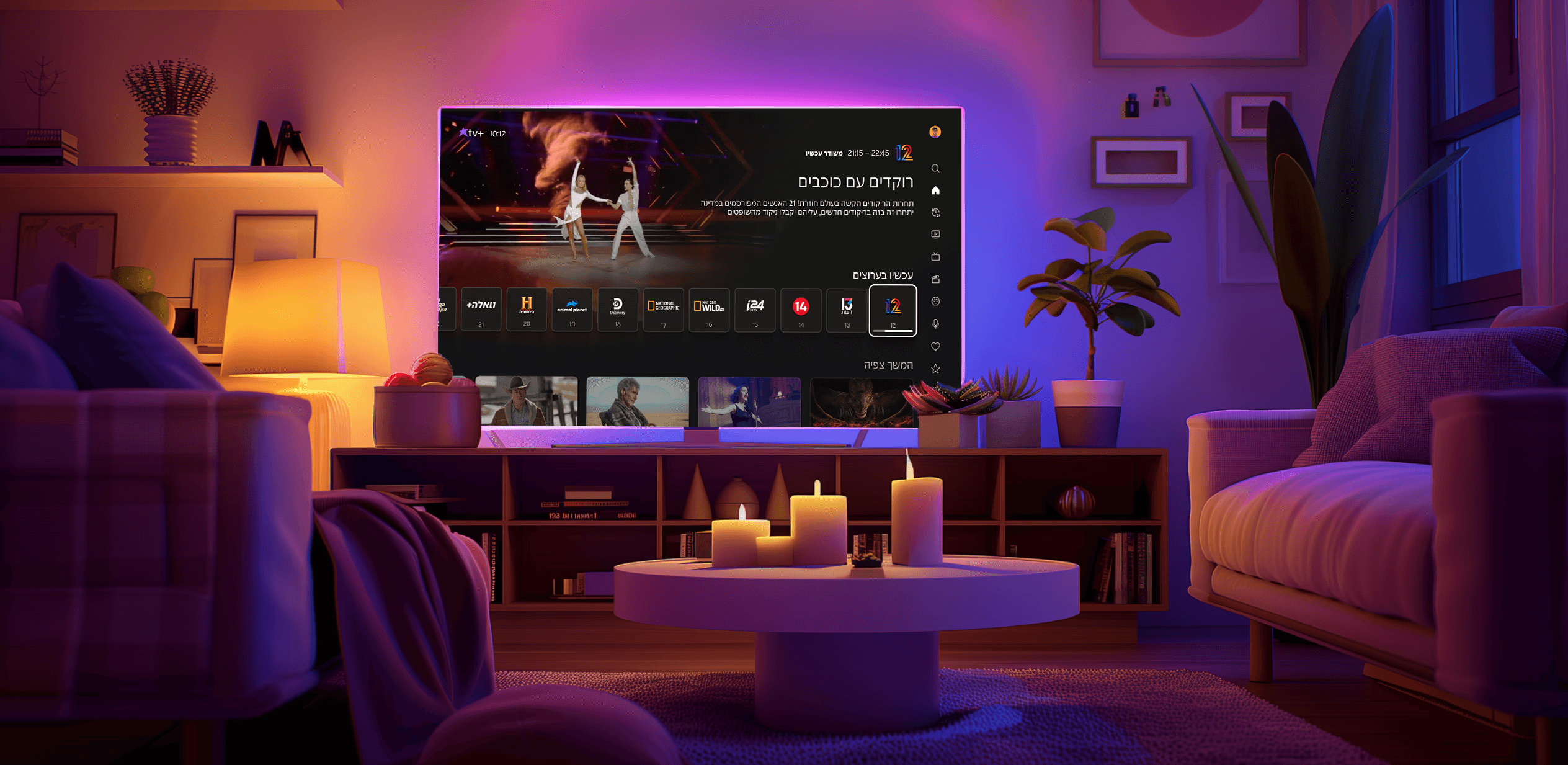
Redesigning
the way you watch
A complete redesign of Cellcom tv+’s interface- modernizing the visual language, simplifying navigation, and creating a cleaner, and more intuitive watching experience.
2024- 2026 | Create Future & Cellcom tv+
THE PROBLEM
THE PROBLEM
Users were struggling with an outdated TV interface that
no longer met modern usability standards
Users were struggling with an outdated TV interface that
no longer met modern usability standards
THE SOLUTION
A complete redesign of the TV interface from the ground up, creating a modern, intuitive, and scalable experience for our users.
CAUSES OF THE PROBLEM
CAUSES OF THE PROBLEM

Limited budget, Legacy app was costly to replace
Limited budget

Strategic focus directed to other business areas
Strategic focus to other business areas

Fear that major changes might cause user churn
Fear of customer abandonment

Slow organizational adoption of modern UX standards
Slow adoption of UX and market standards
IMPLICATIONS
1
Limited budget
Strategic focus to other business areas
2
Fear of customer abandonment
3
Customer dissatisfaction
4
Less competitive product
5
IMPLICATIONS
1
Non-intuitive navigation
2
Not scalable interface
3
Customer abandonment
4
Customer dissatisfaction
5
Less competitive product
Market research- Streaming platforms
Market research
Streaming platforms
Market research- Streaming platforms
As part of the redesign, I conducted ongoing market research, reviewing leading streaming platforms and TV interfaces across the industry. The focus was on understanding lean-back behavior, how users interact with 10-foot experiences, and what differentiates TV UX from mobile and desktop environments.
This included analyzing navigation patterns, content hierarchy, remote-based interactions, visual density, and the unique expectations users have when consuming content from the comfort of their living room.
Ongoing market research
Streaming platforms and TV interfaces
Lean-back behavior
Navigation patterns
Content hierarchy
Remote-based interactions
Visual density
Ongoing market research
Streaming platforms and TV interfaces
Lean-back behavior
Navigation patterns
Content hierarchy
Remote-based interactions
Visual density










RESEARCH INSIGHTS
RESEARCH INSIGHTS
RESEARCH INSIGHTS
Faster Discovery
Fast Discovery
Allowing users to find relevant content quickly through a clean layout and clear visual hierarchy.
Allowing users to find relevant content quickly through a clean layout and clear visual hierarchy.
Clear Reading
Clear Reading
Enabling users to read and browse comfortably with large, legible, 10-foot optimized typography.
Enabling users to read and browse comfortably with large, legible, 10-foot optimized typography.
Intuitive Navigation
Intuitive Navigation
Providing smooth, predictable navigation by unifying interaction patterns across the interface.
Providing smooth, predictable navigation by unifying interaction patterns across the interface.
User Orientation
User Orientation
Helping users stay oriented on screen with clear, consistent focus states.
Helping users stay oriented on screen with clear, consistent focus states.
Lean-Back Comfort
Lean-Back Comfort
Supporting relaxed, remote-based usage with simplified, low-effort interactions.
Supporting relaxed, remote-based usage with simplified, low-effort interactions.
Scalable System
Scalable System
Offering consistent, reliable behavior across all screens thanks to a cohesive, flexible design system.
Offering consistent, reliable behavior across all screens thanks to a cohesive, flexible design system.
USER TESTING
USER TESTING
Personal frontal test
Personal frontal test
Personal frontal test
30 Cellcom TV users
30 Cellcom TV users
30 Cellcom TV users
21-75
Years old
21-75
Years old
21-75
Years old
Testing on real TV devices
Testing on real TV devices
Testing on real TV devices
Task-based sessions
Task-based sessions
Task-based sessions
Analyzing results
Analyzing results
MAIN GOAL
Main goal
Main goal
Evaluating how well the new interface was received by our existing users, identify potential UI shock across different age groups, and uncover usability issues or failure points before launch.
Evaluating how well the new interface was received by our existing users, identify potential UI shock, and uncover usability issues or failure points before launch.
User test insights
User test insights
Clear coach-marks
Clear coach-marks
Refining the Coach-marks screens to ensure major changes are understood and adopted easily.
Refining the Coach-marks screens to ensure major changes are understood and adopted easily.
Catch-Up Structure
Catch-Up Structure
Reorganizing the catch-up content order to make orientation intuitive and content easier to locate.
Reorganizing the catch-up content order to make orientation intuitive and content easier to locate.
Channels rail
Channels rail
Enhancing the channels rail and placing channel logos in the center so they stand out from regular content cards.
Enhancing the channels rail and placing channel logos in the center so they stand out from regular content cards.
Profile Value
Profile Value
Clarifying the value of creating profiles, which users found unclear during testing.
Clarifying the value of creating profiles, which users found unclear during testing.
Kids Settings Copy
Kids Settings Copy
Sharpening the copy across Kids profile settings screens to ensure clearer understanding of each option.
Sharpening the copy across Kids profile settings screens to ensure clearer understanding of each option.
Personal content
Personal content
Improving the placement of personal content in home page to increase visibility and access.
Improving the placement of personal content in home page to increase visibility and access.
THE SOLUTION
A complete redesign of the TV interface from the ground up, creating a modern, intuitive, and scalable experience for our users.
MIDJURNEY
Midjourney
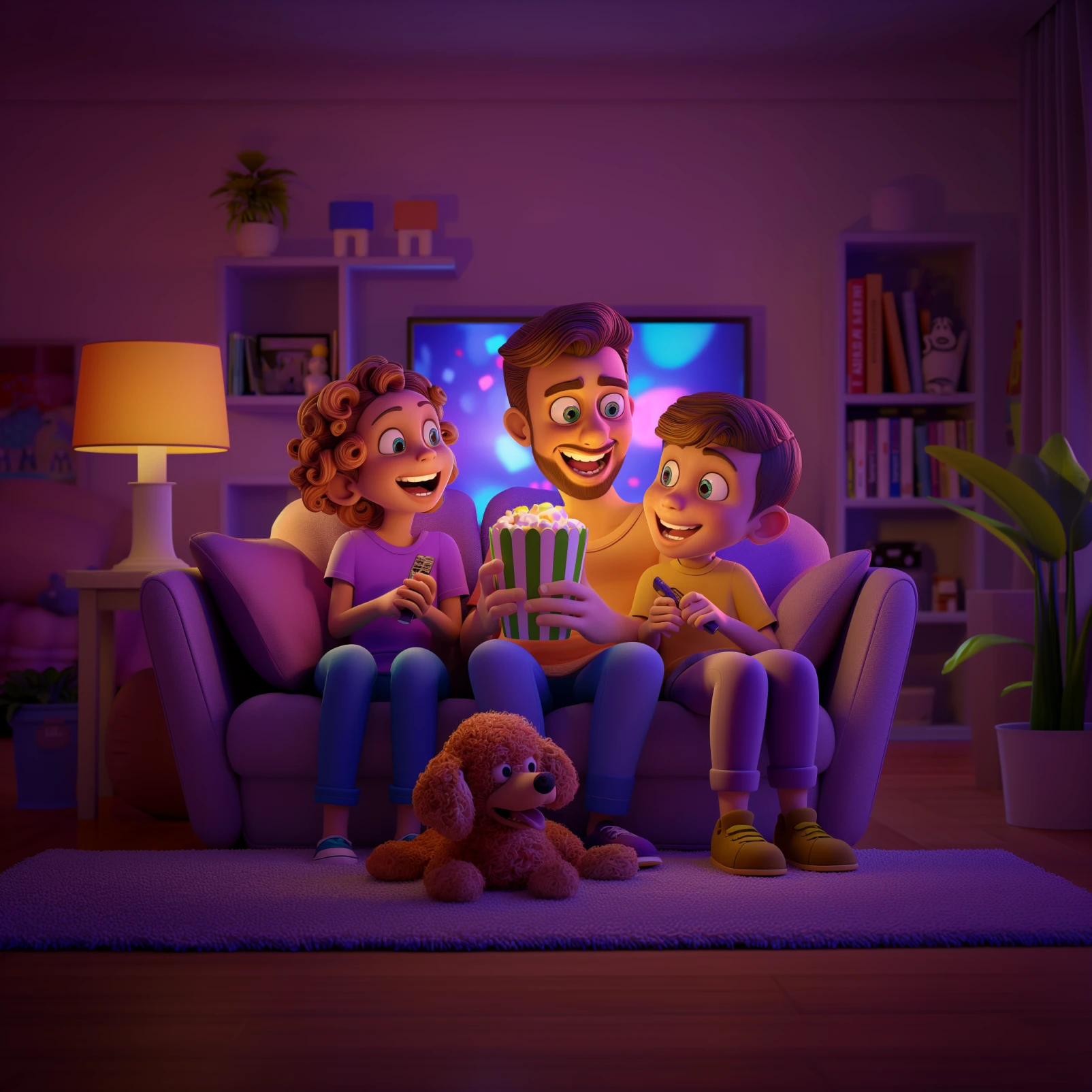
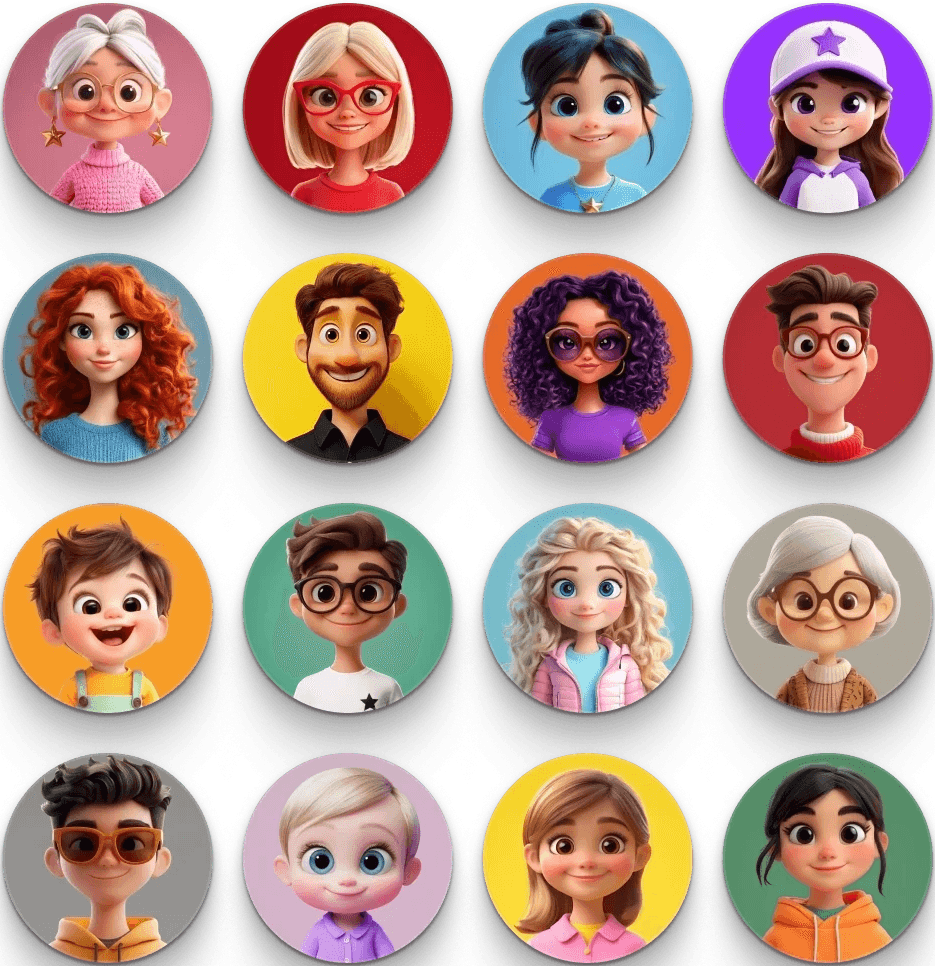
As part of the visual exploration, I used Midjourney to generate custom avatars in a Pixar-inspired style. This allowed me to quickly explore expressive character shapes, playful proportions, and a vibrant color language that feels friendly and approachable.
Brand elements from Cellcom were incorporated into the avatars- such as star-shaped accessories, star-emblem hats, and the signature Cellcom purple to create a cohesive and recognizable visual identity.
As part of the visual exploration, I used Midjourney to generate custom avatars in a Pixar-inspired style. This allowed me to quickly explore expressive character shapes, playful proportions, and a vibrant color language that feels friendly and approachable.
Brand elements from Cellcom were incorporated into the avatars- such as star-shaped accessories, star-emblem hats, and the signature Cellcom purple to create a cohesive and recognizable visual identity.
Main promts
/IMAGINE pixar style old female avatar, falling star earings, pink colors, happy, realistic, uhd image, flat background, colorful, front
Main promts
/IMAGINE pixar style old female avatar, falling star earings, pink colors, happy, realistic, uhd image, flat background, colorful, front
-- SREF
-- SREF
-- AR
-- AR
ZOOM OUT 1.5X
ZOOM OUT 1.5X
REMIX
REMIX
UPSCALE (CREATIVE)
UPSCALE
UPSCALE (SUBTLE)
/DESCRIBE
-- CREF
-- CREF
/DESCRIBE
Original AI Imagery
Original AI Imagery
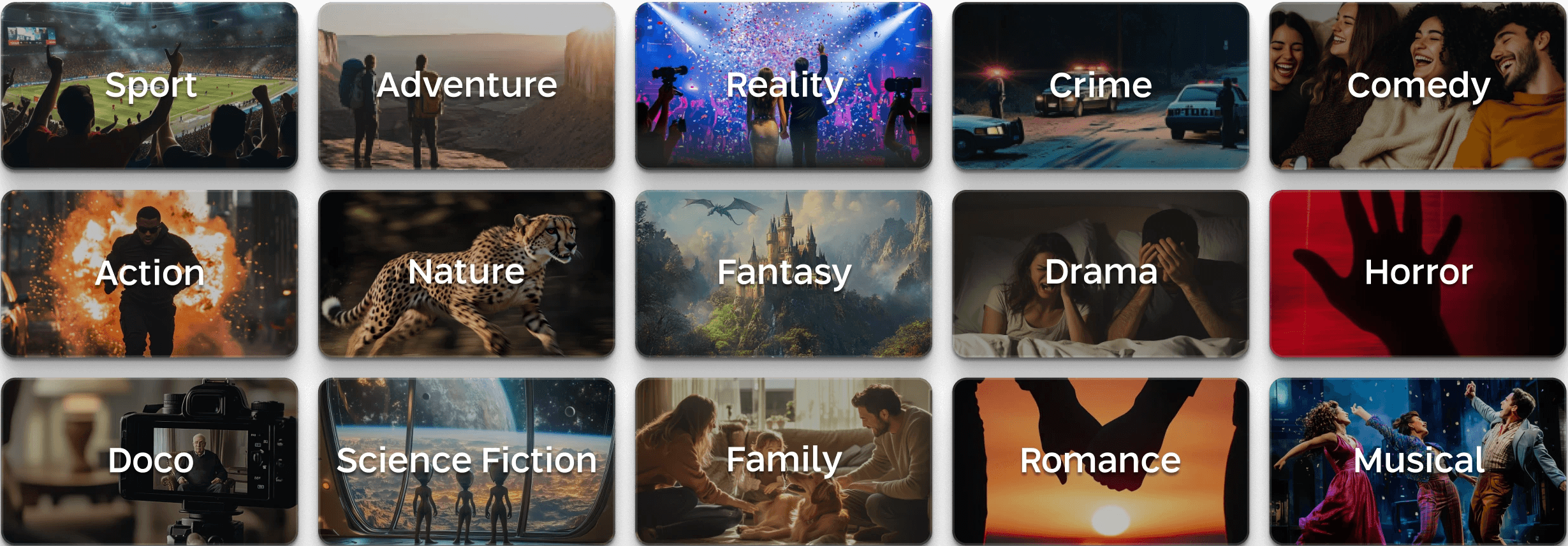
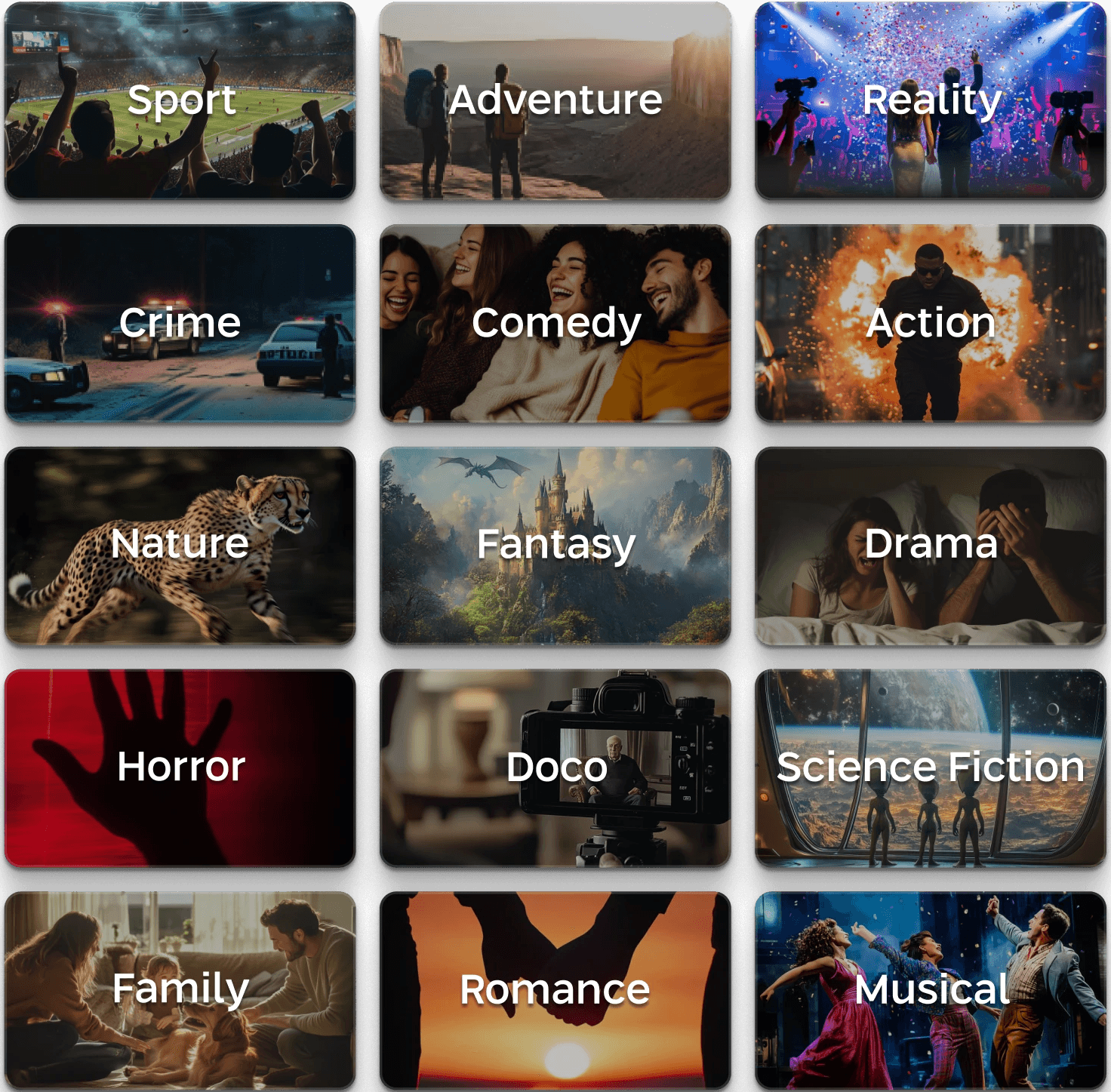
Midjourney was also used to generate original artwork for the interface, including custom visuals for the different content genres, helping establish a unique and cohesive visual language across the platform.
Coach-marks
Coach-marks
We created coach-mark screens that appear during the first uses of the new interface, helping users understand the updated layout and minimizing any UI shock by guiding them to the features they’re familiar with.
Helping users understand the updated layout and minimizing any UI shock by guiding them to the features they’re familiar with.
Home Page
Home Page
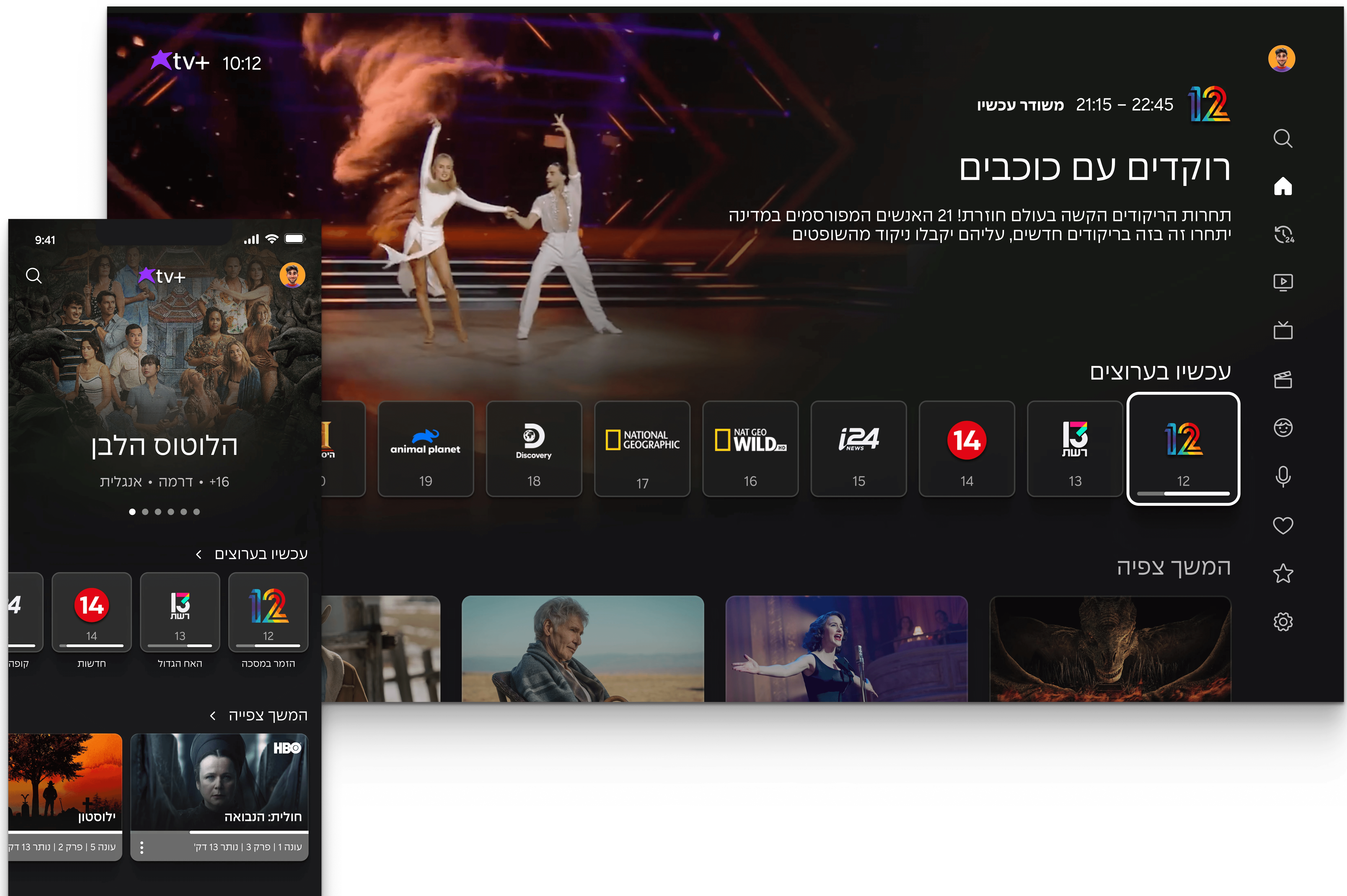
The updated Home Screen delivers faster access and clearer structure: a distinct channel rail with a highlighted active channel, personal content like Continue Watching placed up front, and favorite channels prioritized based on profile data. The side menu gives quick entry to all content worlds.
Delivers faster access and clearer structure: a distinct channel rail, personal content like Continue Watching placed up front, and favorite channels prioritized based on profile data. The side menu gives quick entry to all content worlds.
Profiles
Profiles
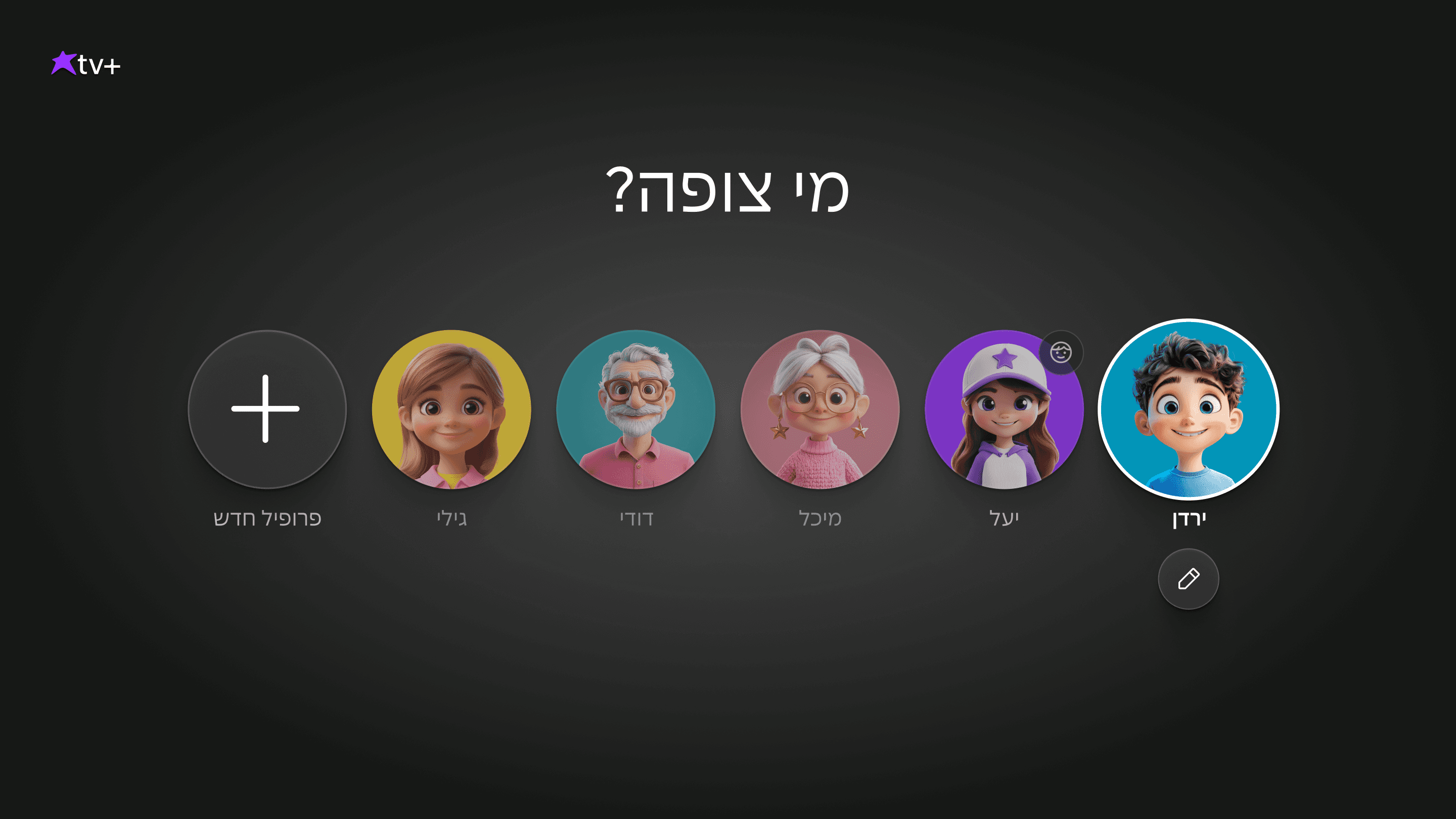
Users can create up to six profiles, including a dedicated kids profile with viewing restrictions. Each profile has its own preferred channels, personalized recommendations, and Continue Watching list.
Users can create up to six profiles, including a dedicated kids profile with viewing restrictions. Each profile has its own preferred channels, personalized recommendations, and Continue Watching list.
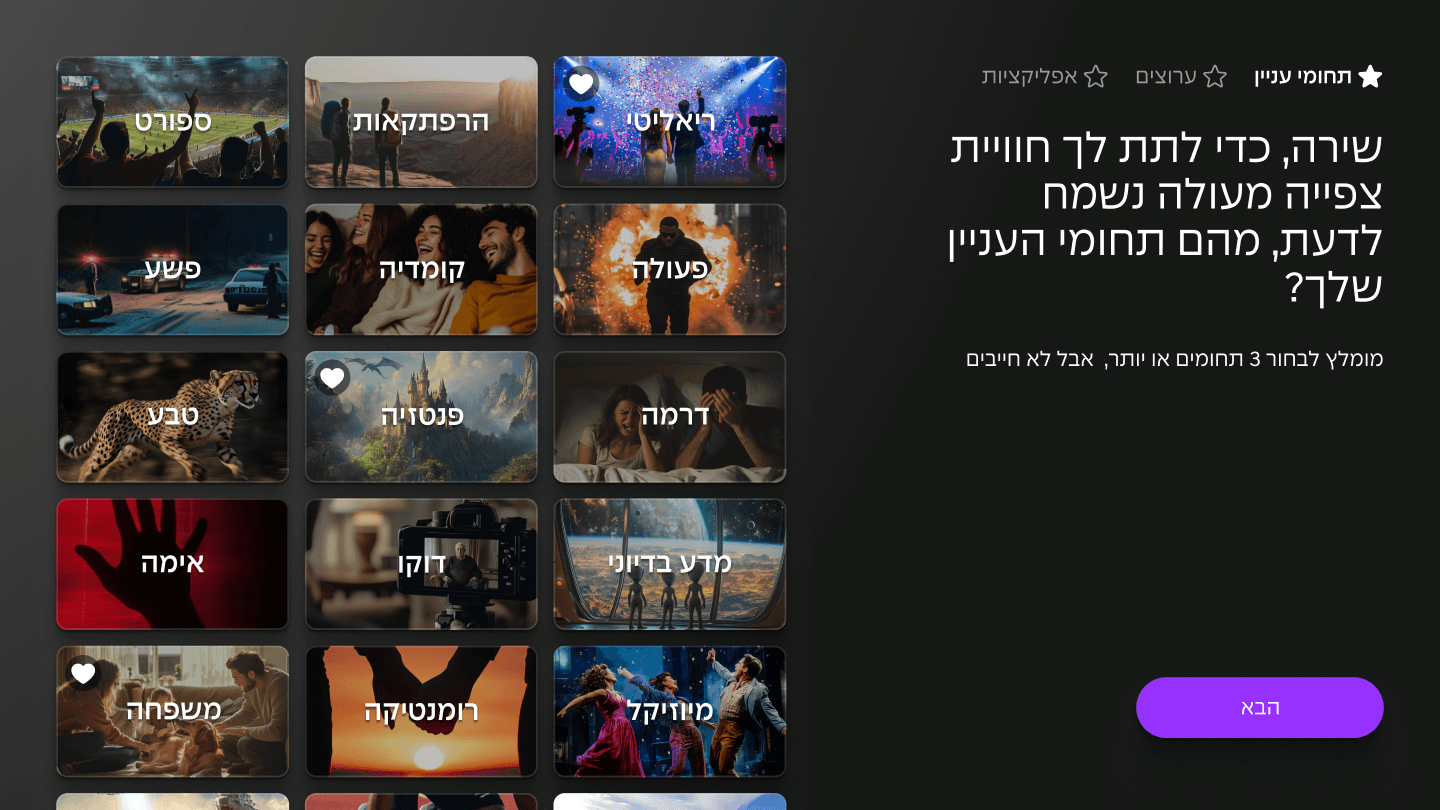
Onboarding
Onboarding
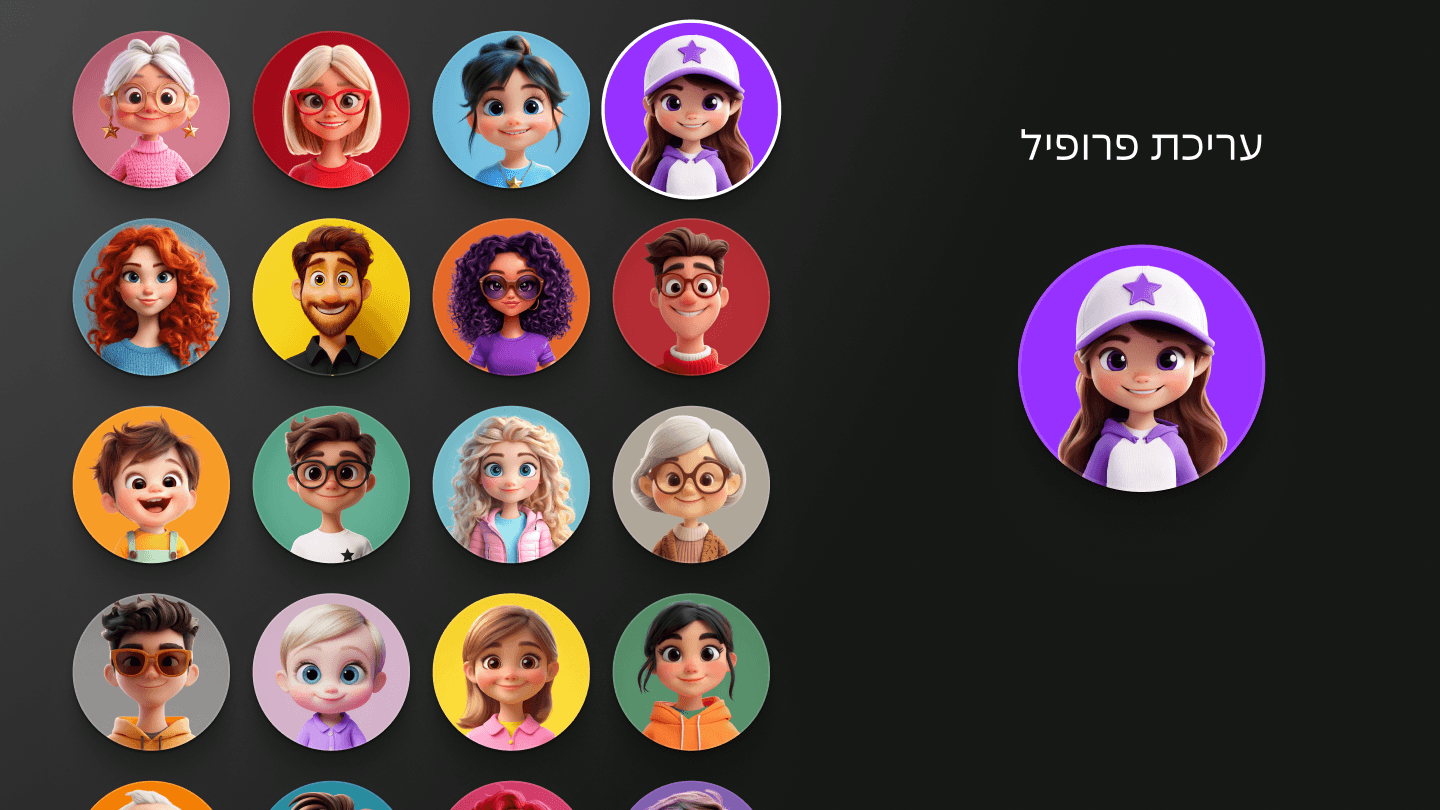
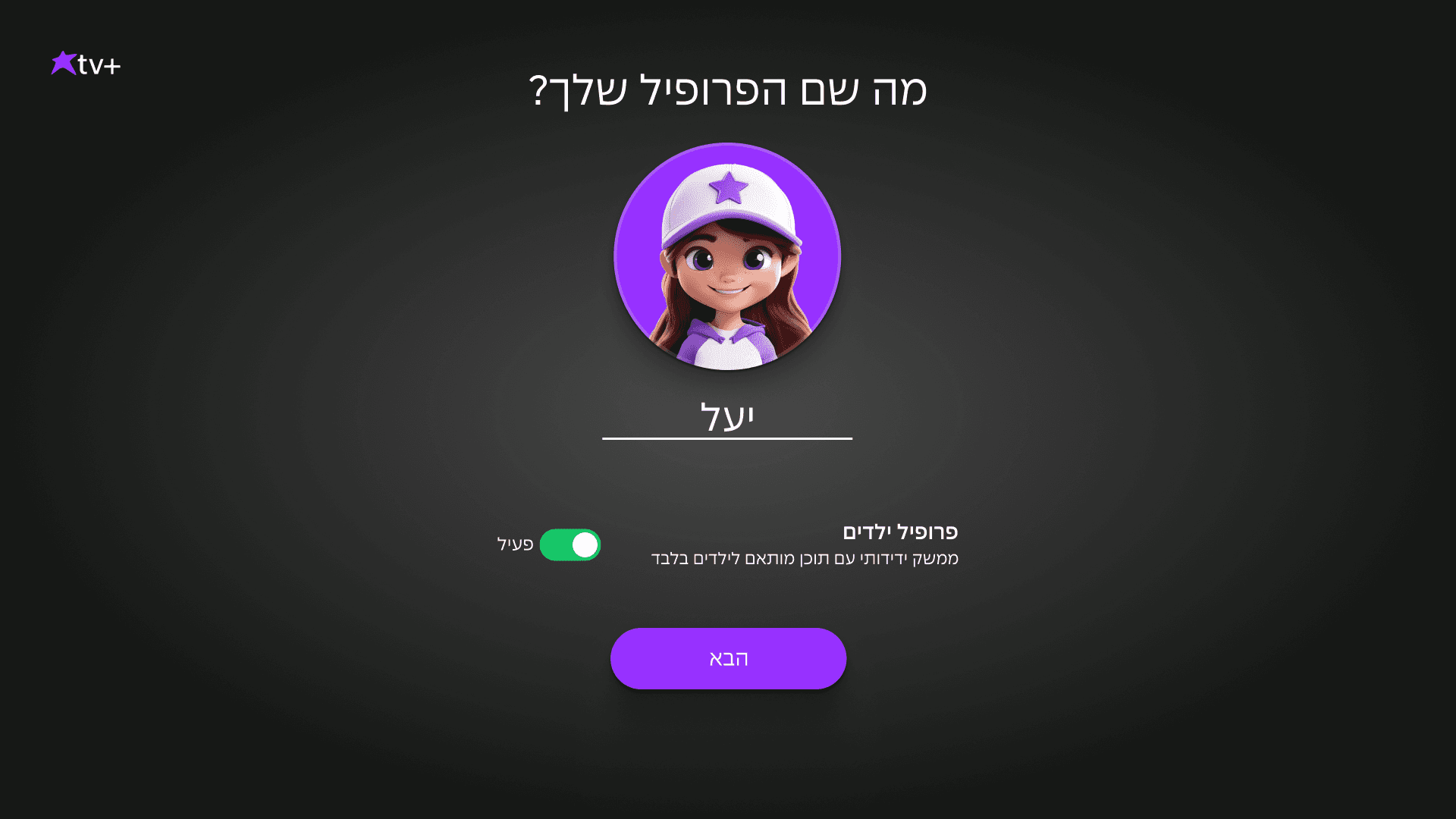
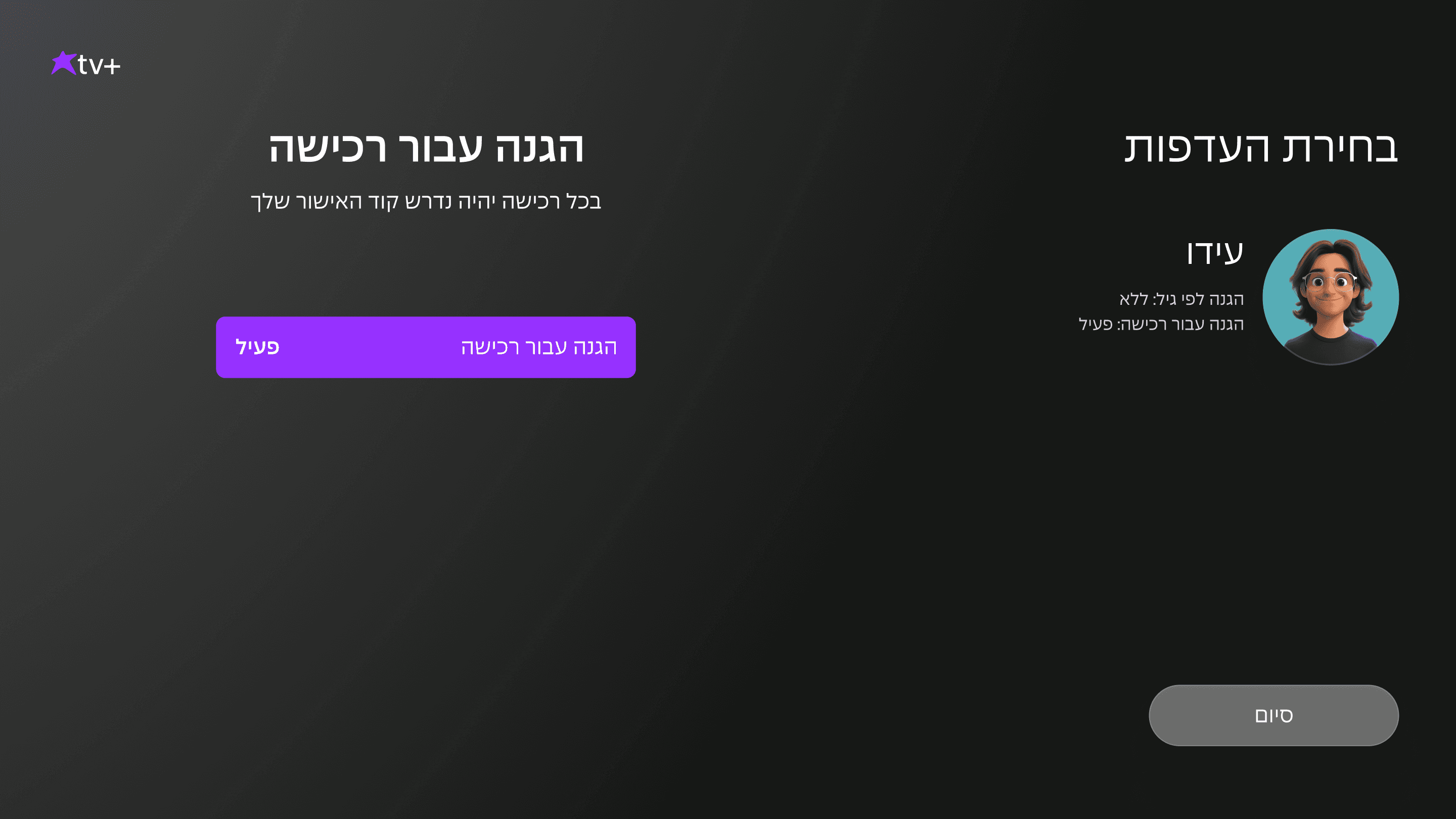
The profile setup includes choosing an avatar and name, selecting preferred genres, channels, apps, viewing preferences, and purchase restrictions- enabling fully personalized recommendations and a tailored viewing experience from day one.
Includes choosing an avatar and name, selecting preferred genres, channels, apps, viewing preferences, and purchase restrictions- enabling fully personalized recommendations and a tailored viewing experience from day one.
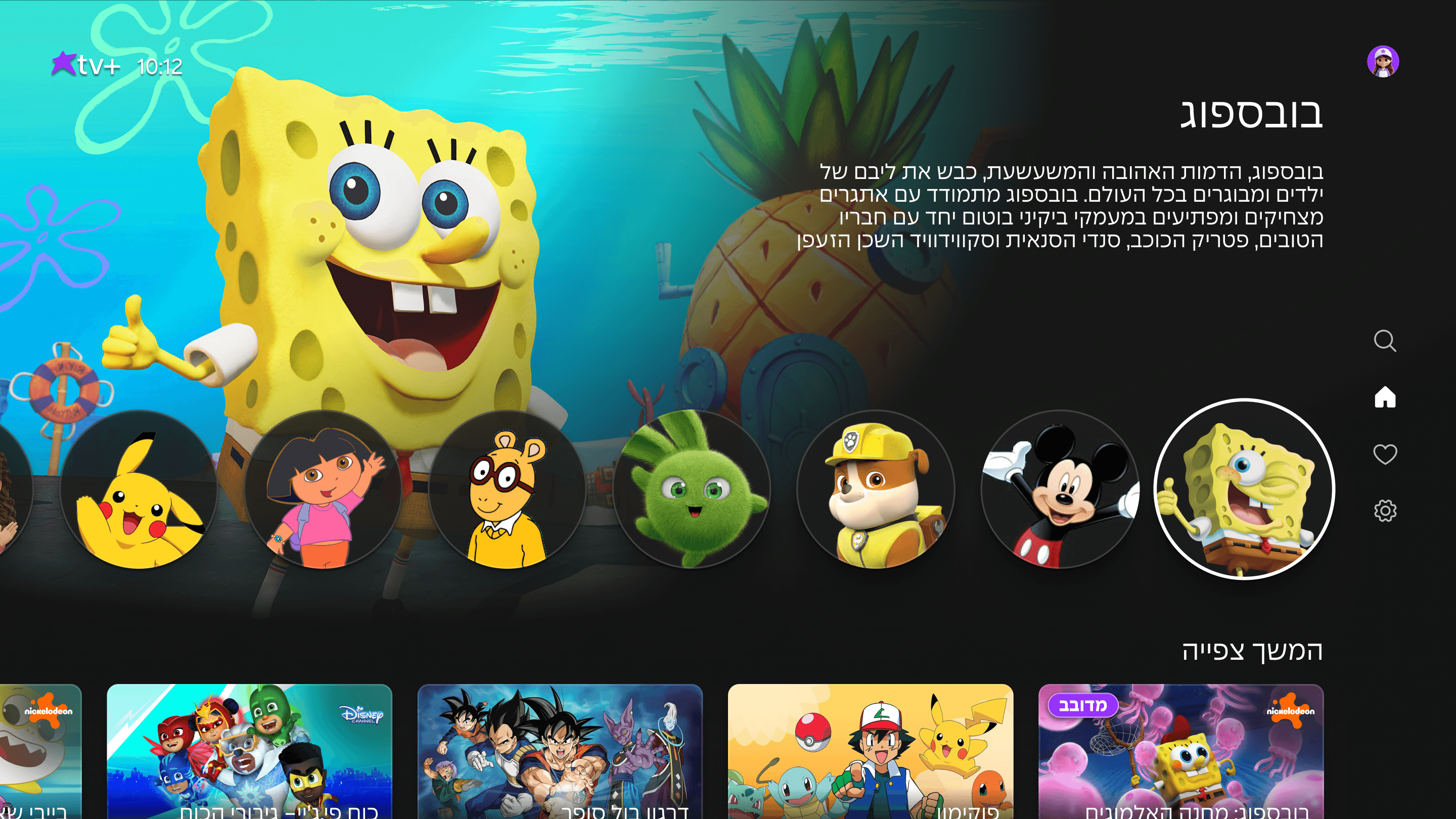
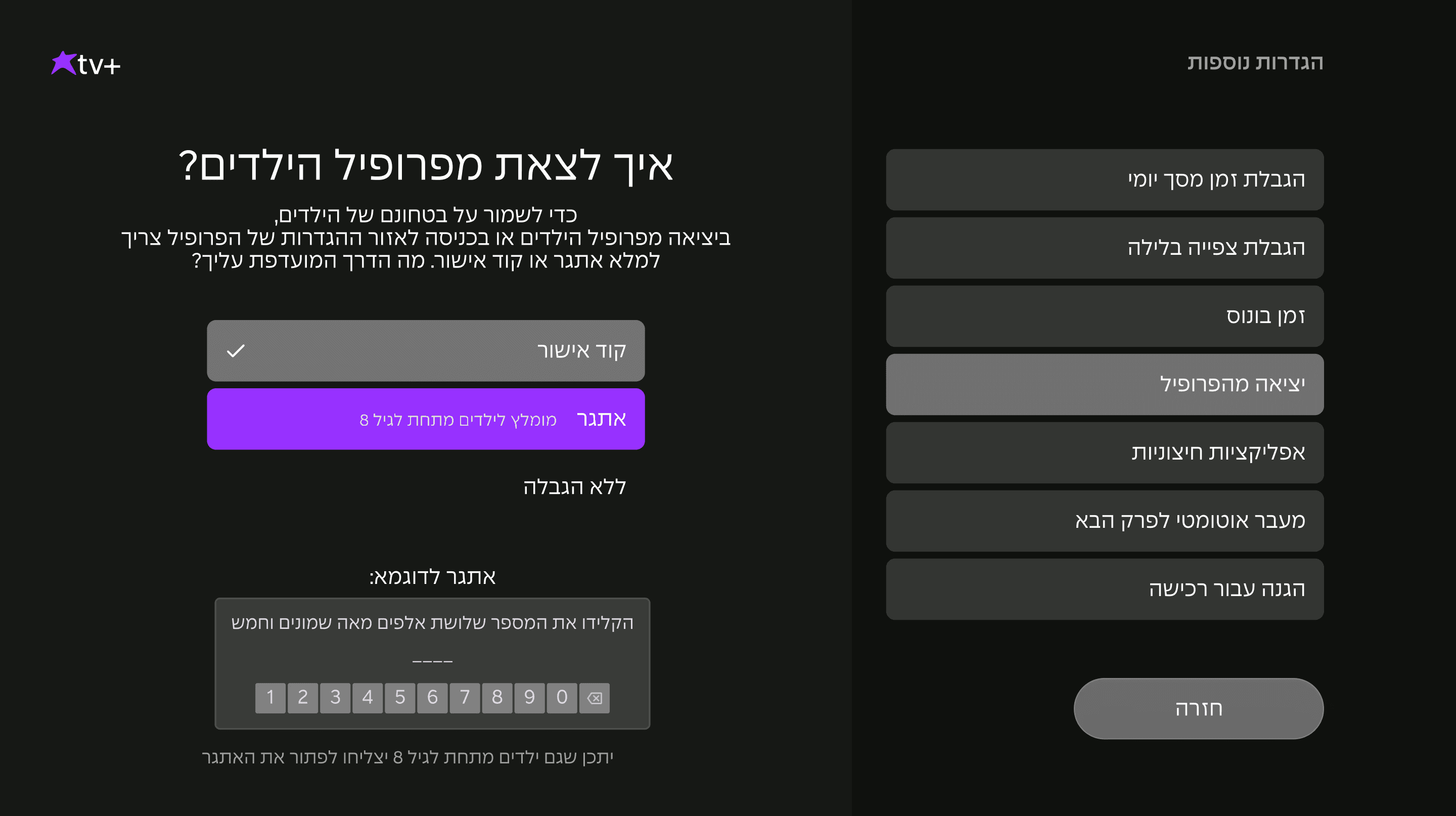
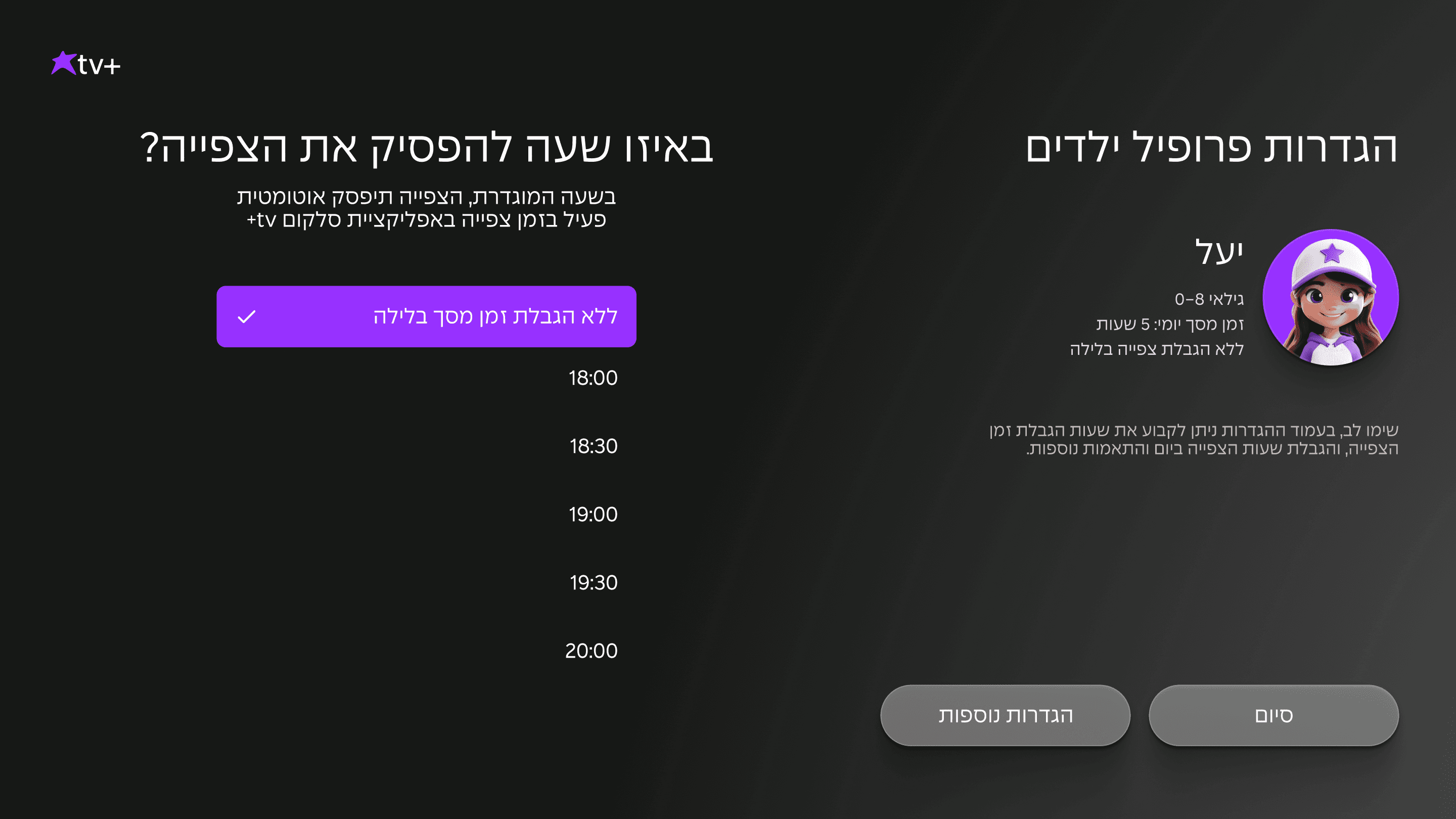
Kids Profile
Kids Profile
The Kids Profile, designed for ages 0–8, offers a protected viewing environment with only age-appropriate content. Parents can set viewing limits, add extra watch time, and manage restrictions. Beloved characters are featured prominently on the main screen, giving kids quick access to the content they love.
The Kids Profile, designed for ages 0–8, offers a protected viewing environment with only age-appropriate content. Parents can set viewing limits, add extra watch time, and manage restrictions. Beloved characters are featured prominently on the main screen, giving kids quick access to the content they love.
Catch-Up & Info bar screens
Catch-Up & Info bar screens
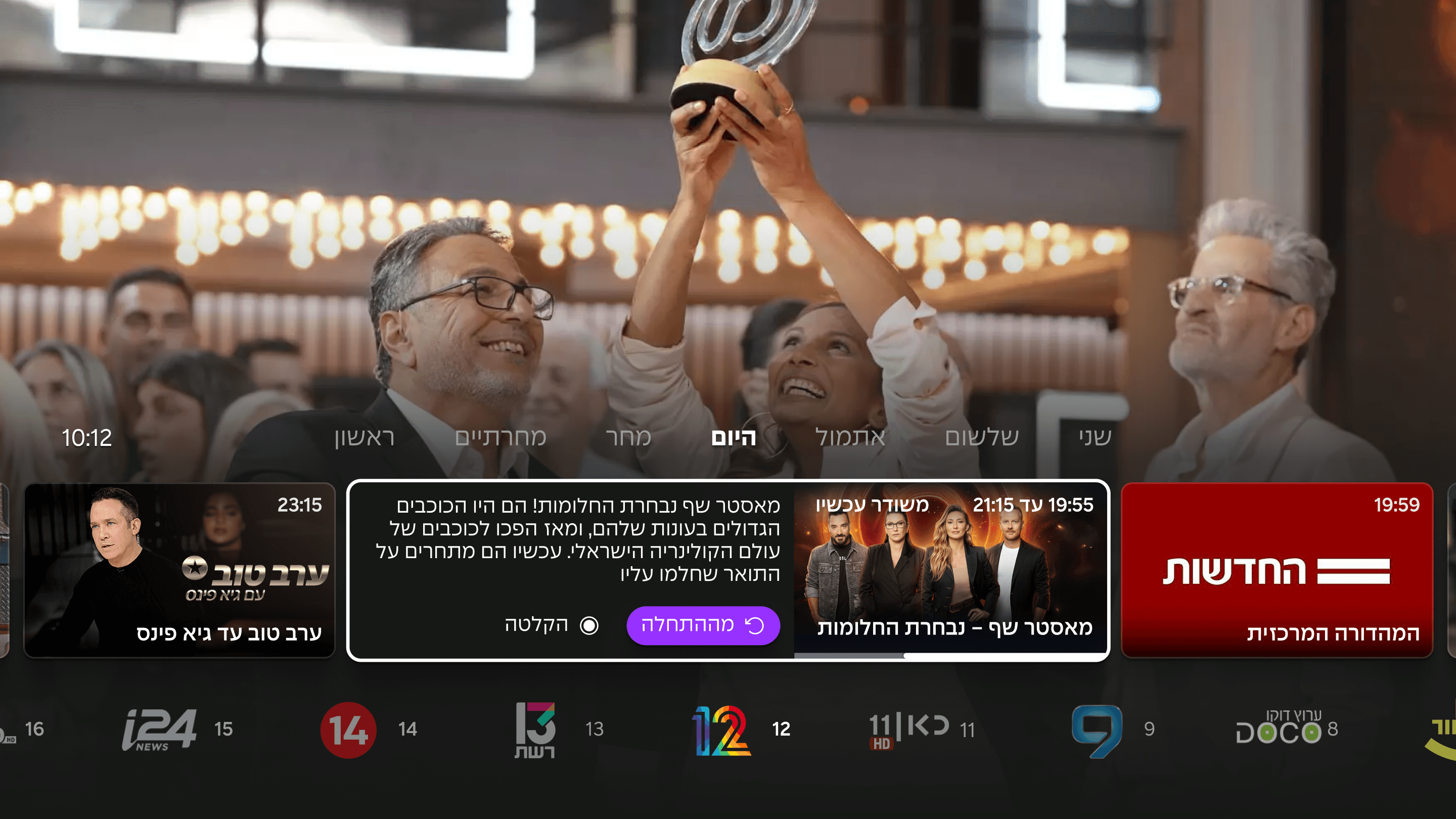
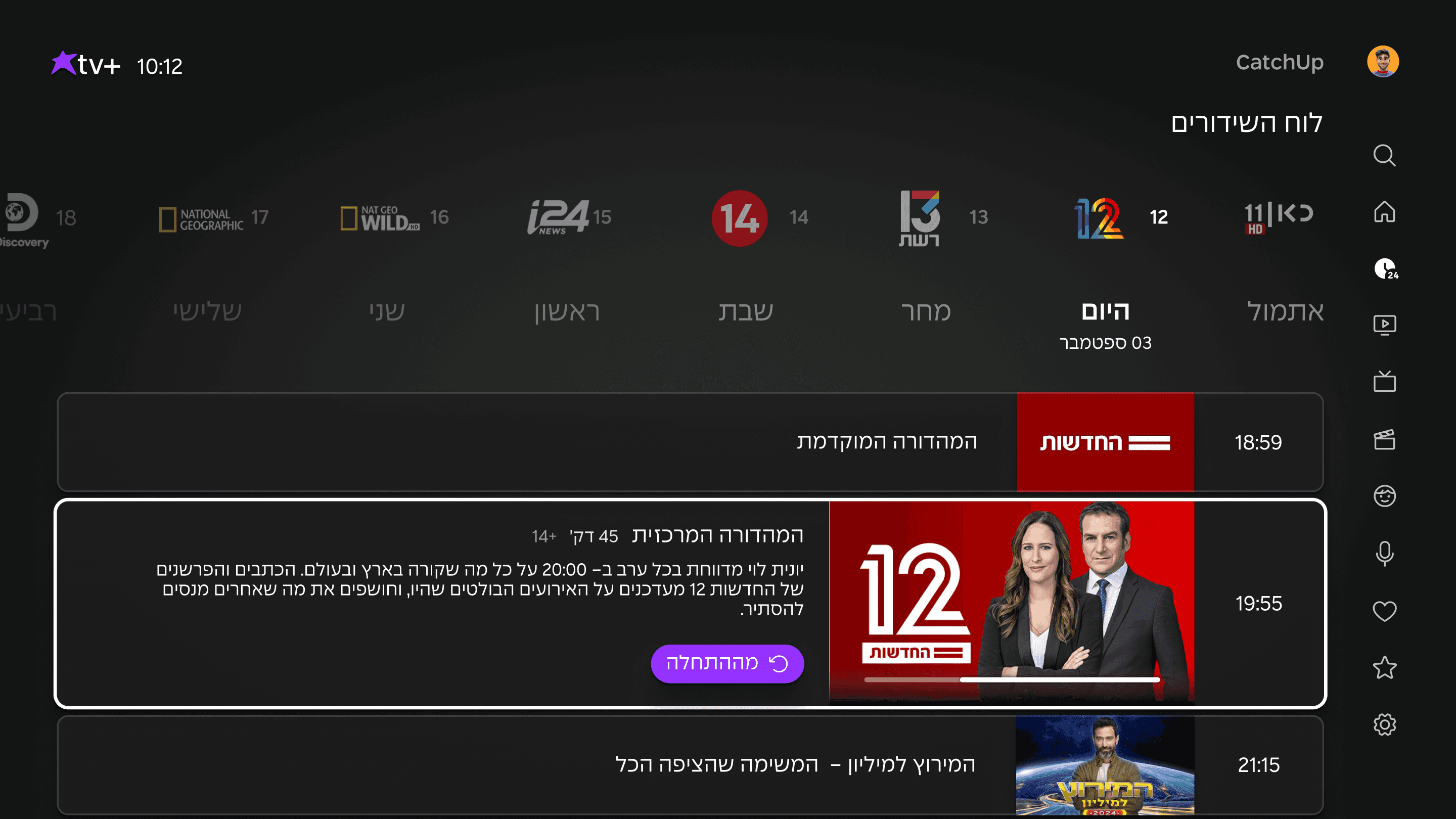
The Catch-Up screen and Info Bar are designed for quick, comfortable access to last-week broadcasts, easy channel surfing, and a clear view of the upcoming weekly schedule- making it simple for users to jump into recent content or plan what to watch next.
Designed for quick, comfortable access to last-week broadcasts, easy channel transfer, and a clear view of the upcoming weekly schedule- making it simple for users to jump into recent content or plan what to watch next.
Next project | "Ain Lezion"
Do i have your attention?
Let’s talk :)
Do i have your attention?
Let’s talk :)
Home Page
Delivers faster access and clearer structure: a distinct channel rail, personal content like Continue Watching placed up front, and favorite channels prioritized based on profile data. The side menu gives quick entry to all content worlds.
IMPLICATIONS
1
Non-intuitive or scalable interface
Customer abandonment
2
Customer dissatisfaction
3
Less competitive product